Claude Widget for Mac: See Your Claude Usage at a Glance (Free)
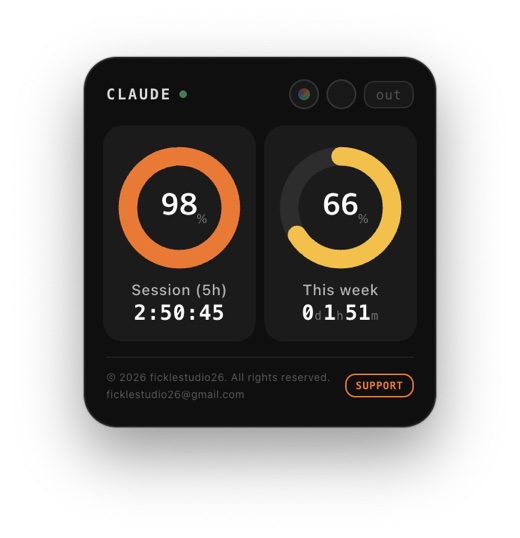
If you use Claude a lot, you have probably asked yourself: how much of this session have I used, what is my weekly usage, and when does it reset? Finding out means opening the settings page every time. Claude Widget is a small free Mac widget that keeps those numbers on your screen.
Download Claude Widget for Mac (Google Drive) →
What it shows
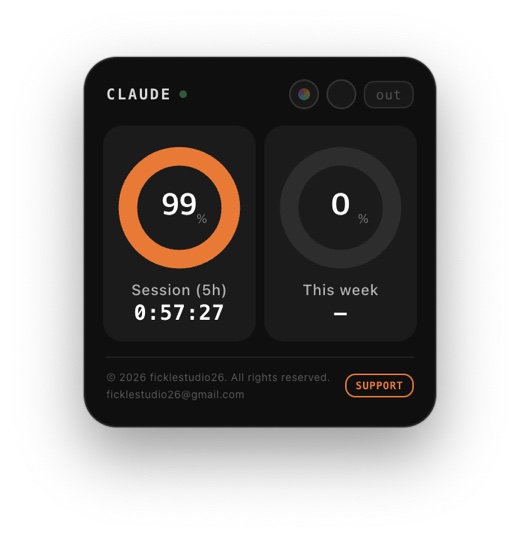
- Session usage for the current 5-hour session, as a percentage with a countdown
- Weekly usage as a percentage, with the time left until it resets
The widget sits on your desktop and you can move it anywhere on your screen. Usage updates automatically.
How to use it
- Download and install the app.
- Log in with your Claude.ai account.
- That is it. The widget starts showing your usage right away.
Supported Macs
Both Apple Silicon (M1 or later) and Intel Macs. It may not work on much older versions of macOS.
Privacy
The app does not collect or transmit any personal information. Your login session, theme and widget position are stored only on your own device.
Please note: this is not an official app
Claude Widget is an independent project. It runs using an unofficial method, so it may stop working without notice if Anthropic changes its system. Please keep this in mind before you use it.
Sharing and updates
Feel free to share it with others. Modifying or selling it is not permitted. When a new version is released, it will be announced on this blog.
Contact and support
Questions, bug reports or ideas: ficklestudio26@gmail.com · linktr.ee/ficklestudio26
© 2026 ficklestudio26. More from us: see everything in one place.


Comments
Post a Comment